Showing posts with label phtography. Show all posts

Monday, 21 November 2011

Such gorgeous weather!

This calm weather is getting a tad eerie now. Is it the calm before the storm?
We rarely seem to get a day here without wind of some description and I'm not talking the smelly kind! We live smack bang next to the coast and as we haven't gotten round to surrounding ourselves with trees yet, the wind can be biting!
However the last couple of weeks have seen some rather calm, wind free conditions and as much as we're enjoying it while it lasts it's hard to not think we're sitting in the eye of a storm and we're gonna get battered by the other side any time now!

Still, today was lovely again and again I found myself sitting and listening to the birds. I made another half hearted attempt at photographing them again but just as I got myself set up the battery died on the camera. Typical!
By the time I'd got another one sorted the birds had done a flit so I decided to photograph a lone Blue flower instead (least it can't fly off)

Cranesbill (Geranium) Johnsons Blue

How gorgeous is that! I was drawn to it because it was smack bang in the middle of the rest of the plant that had died off for the winter. This little gem is still clinging on determined to show off!

Next we have another Cranesbill that is still in full flower and even full leaf. All the others of this species that this would have been grown from have long since died off. Not this one though!
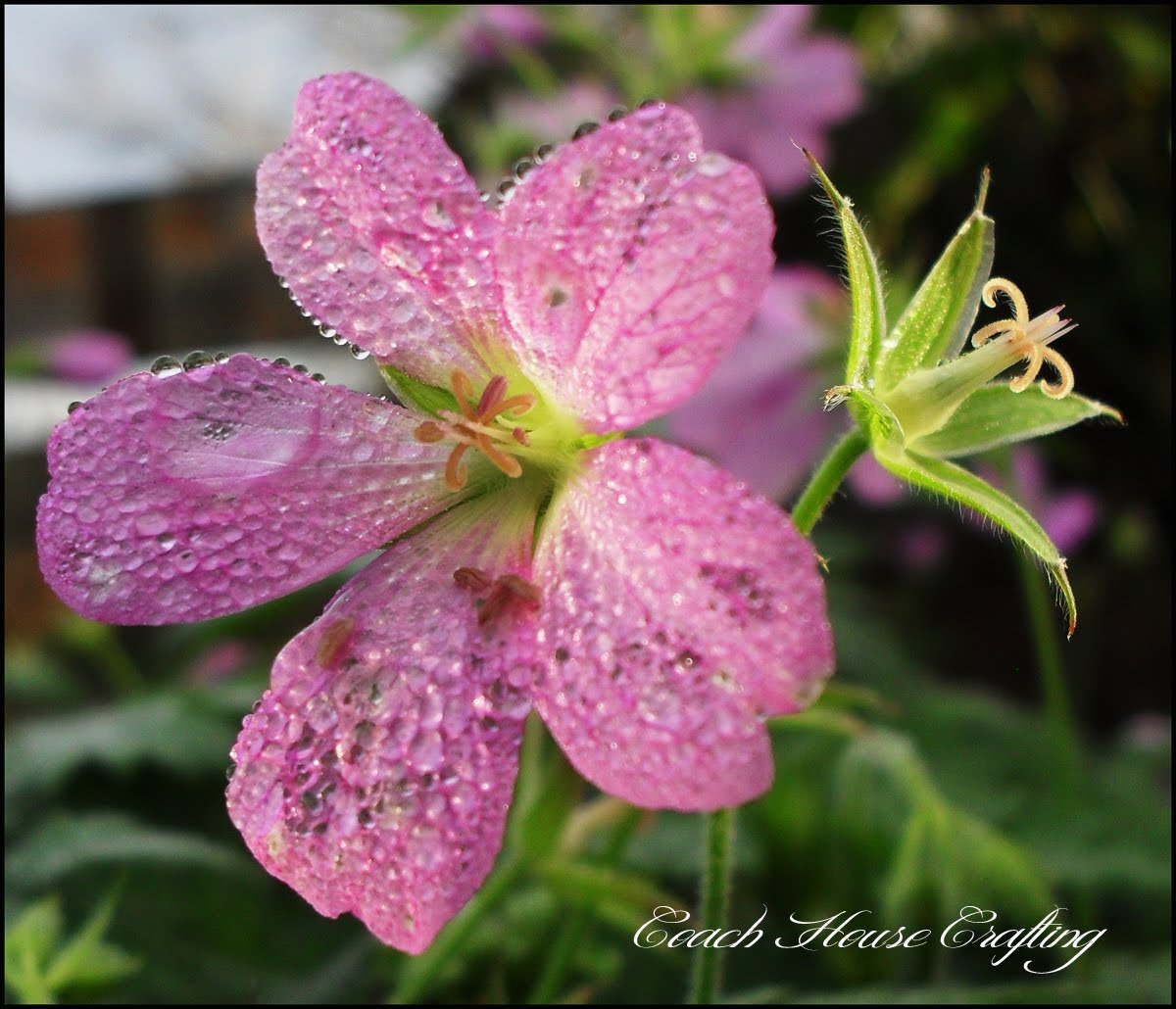
Cranesbill

Pretty huh!

I couldn't resist this one too. A Fuchsia in my polytunnel.
Fuchsia

I have loads of various Fuchsia outside that are still in full flower and full leaf. I'm guessing the cold summer followed by this mild winter has confused them.
Even my Daffodils are a good 7" out the ground and I NEVER see that before about February.

Anyway, as always, thank you for popping in and looking. I promise there'll be more crafts up soon as I have plenty nearing completion and don't forget 'Wotcha Wednesday' when I'll be featuring some of my followers.
PLUS, I'm going to be hosting a linky party in the very near future. Yay! So keep those Eagle eyes open!


Linked to

'Craft-O-Maniac'
'Keeping it Simple'
'Creative me Monday'
'The Girl creative'
'Not Just a Housewife'

Sunday, 20 November 2011

I will never make a bird photographer!
Today has been another gorgeous day here in the Highlands of Scotland. The wind that is usually an every day part of life has been non existant, the sky has been a glorious Blue and the temperature has kept a constant cool rather than cold.

While beavering away in my workshop shed this morning I decided that with views like this from my window
 misty morning, seascape, sooc
My view this morning!

I really shouldn't be stuck inside.
As I had all my cameras to hand for once I decided to pootle about and take some images of the garden.
This Pampas grass really took my eye because of the mist bank surrounding us

 pampas grass
Pampas Grass

Then I noticed a lone Rose clinging on to life despite the cruddy summer we've had:
rose, pink rose
A rose by any other name....only I don't remember the name of this one!

Then I had a super brain wave. yup, yup, yup!
I figured I could plot a seat up near my bird table and snap happy at the pretty birdies as they eat the goodies I put there - least they could let me do after religiously feeding them for years huh!
So that's what I did! I plotted up and sat there patiently with my camera.......
However, it took me a wee while to realise that in my rush to get a piccie of said birds I hadn't really considered my vantage point - I may have been a mere 4 ft away but I was directly below the table which happens to be about 10ft tall so the only view I got was of gwana as they shot away! Luvly!!
So I then decided it would be a better idea to put some seed mix on a post that was only a few feet tall and a few feet away, so that's what I did.
Then I sat there and waited....
All of a sudden there were birds everywhere, score!
Immediately they were interested so I prepared to snap away. At this point I realised a huge mistake. Note to self: Next time I put seed out for piccie advantages PUT THE SEED ON ONE POST ONLY! Yep for some stupid reason I decided to put it on 2 posts WTH!
I can categorically say it is impossible to predict which post the birds will choose. It's also impossible to zone in on the right one, focus and snap the picture before the bird has had its fill and legged it! Try it!
So nasty old me chucked the seed from one stump and waited at the second.
I got the shots, oh yea! Plenty of em too! Just none of em any good, in fact most were of the bird as it flew away.
here's a couple that are at least half focused though:

 blue tit, garden bird, caithness birds
Blue Tit

 great tit, garden birds, caithness birds
Coal Tit


So there you have it! My lovely day spent roaming my garden and snapping what I see - been a long time coming!
Thanks for stopping by and taking a peek!


Linked to:

'Studio Waterstone'
'Funkyjunk Interiors'
'Flamingotoes'
'Mommyheadadventures'
'My1929charmer'
'LambAround'
'Simplicity - my life in pictures'

Wednesday, 28 September 2011

Edit me: Week 20

Ouch! This one hurt. The picture is so darn cute to start with and as with all baby / children photographs I am acutely aware that this is someones adored child and that my idea of a good edit may be their idea of an insult. Eek!

Luckily I have been stuck in doors all day waiting for a delivery - you know the kind, anytime between 12pm & 6pm and we'll phone when on the way! - so I'd been grumpily patiently waiting for said delivery to arrive when I happened across this weeks edit.

Once again I just couldn't decide what to do with it so I googled ideas - as you do - and if I wanted to turn this adorable baby into Shrek, or give her google eyes or even wanted to plant her in a barrel I had a plethora of tutorials before my eyes.
Not gonna happen though.

So I guess you wanna see this adorable cutie courtesy of Kala at 'The Wishful Lamb' - here you go then.

This is the SOOC

Told ya, little cutie pie ain't she!

And here is my edit

Now I know I should have catalogued the steps I took for this but believe me I have done so many different things and started over that I have completely lost track of what I did.
I opened it in CS5 though - I know that much! As for the rest of the edit well it's vague but I cropped the image a tad, boosted the colours before then desaturating it (actually don't know why I did that but it seemed to help).
I then played around with the tones somewhere (sorry don't remember where) until I got a Sepia type look and then messed with the highlights, shadows etc until I got what I wanted.
Next I added a 5 pixel border in Black ( I tried a multitude of different colours for that before deciding on Black - how original)
Then I added the text 'twinkle, twinkle little star' and then finally I used the colour fill tool to add colour back to the flower.

Like I said there were many many steps to this edit, many of them deleted and I could have used shorter and easier paths along the way but this edit was basically playing and deleting until I got what I wanted.

I also need to thank Branson from 'My Reflection of Something' for not only hosting these edits but for hosting a gorgeous blog too.


Linked to

Thursday, 15 September 2011

I'm lurving this - Edit me : week 18 : Ferris wheel.

">I've had so much fun with this weeks photo, provided by Kathryn of 'our tiny big life'.
I really wanted to do something fun with such a fun picture and at first wanted to turn it into a night time shot with the wheel and lights all lit up, however I just couldn't get my head round it so I decided that turning it into a jigsaw would be just dandy!

Here's the original shot

and here's my jigsaw

I spent a fair while on this image as making jigsaws is apparantly harder than you'd think! However I'll try to dilute the steps down a little or else this will take pages and pages.
First I opened the image in CS2 and created a background copy.
I didn't touch the colour etc  as I felt the colours were vivid and accurate enough already for what I wanted.
Next I created a new layer and filled the background white.
Then I opened the Filter box, went to texturiser and opened the Puzzle filter (this had to be imported from the Filters file in the Photoshop folder in the guts of my system (getting confusing huh!)
Once I had the Puzzle filter on the screen I dabbled with the controls to get the largest pieces I could and set the light to 'top right'.
Next the really cool part. I decided I'd like to remove some of the pieces altogether but also set some aside on top of the puzzle to look like an unfinished puzzle.
So I selected the Pen tool and traced the outline of one piece, then accepted the cut out, clicked on new layer - layer via cut and renamed the layer piece 1.
I then hit CTRL & T to transform the piece and be able to move it to the side, rotate it etc. Next go to layer style and drop shadow and change the dials until you get what you're looking for - I basically had Opacity @ 80, angle 160 and the others at whatever took my fancy (though try to keep each piece the same).
To delete each piece I again used the pen tool to select the piece and hit delete.
Each piece of the puzzle that was moved (not deleted) has it's own layer.
Finally flatten the image.

And that was basically it though it took me a couple of hours.
I have to thank Kathryn for such a great image. I was dissapointed with myself with last weeks entry and could have kicked myself for even entering it. Whatever possessed me to turn an interesting farmhouse into a boring, bog standard nothing by removing the most interesting part of it is still beyond me, however I've loved this weeks challenge a whole heap, so Thank you Kathryn!


Check out: 'EDIT ME, WEEK 18'. for all other entries and a fabulous website 'My reflection of something'.

This post is linked to:


Angry Julie Monday


Featured On The  Crafty Nest


The Shabby Nest

Saturday, 3 September 2011

Oooooh something completely new today

I've not been able to get on with my craft projects over the last couple of days, mainly because I've become addicted to reading blogs belonging to my friends on Blogfrog etc.
However, I came across an 'edit me' submission on 'My Reflection of Something' Blog and just had to give it a go because I loved the photograph so much.
The guest judge for this 'edit me' is Stephanie from 'Behind the camera and dreaming', so why not pop on over and take a look at some adorable, classy and downright fabulous work.
This is my first ever submission and from what I can gather the idea is to take the original photo and adapt it using Photo editing software in whatever way you feel.
So here's the original:


See what I mean about it being a gorgeous picture!

This is what I did to it

I struggled with this one, not just because it's my first, nor because it's a photo of someones else's child and I'm very aware that my interpretation may not be her parents' but mainly because I liked the original so much it seemed such a shame to alter it.

First I opened it in Photoshop CS2 and diddled with the exposure to make a base for the warmth I wanted to create.
Then I added a Warm filter to the image and adjusted the settings until I got the 'feeling' I was after - I wanted to create a warm, early evening feel.
I then added a Glass filter and adjusted the settings until I got the effect I have here, this took a suprisingly long time and found me also experimenting with a load of other filters.
Originally I wanted a pencil effect but I loved the Glass effect and seeing as the child is on sand - ironic!
In a separate layer I added the words 'Discovery in a grain of sand' as that is what the image says to me.

Voila! My 'edit me' submission.


UPDATE:
The winner of week 16 'Edit me' is - drum roll - Deb from 'Debduty Photgraphy'. Well done!